FOCUS Tutorials · October 20, 2026 · Era
One Place for Everything You're Managing: A Guide to the FOCUS Dashboard
Tasks, ideas, goals, appointments, and projects don't always fit neatly into one list. Learn how the FOCUS dashboard brings these pieces together so you can organize what matters and decide what to work on next.
Ever open your to-do list and realize it doesn't include everything you need to manage? Your tasks are in one place, appointments are on your calendar, ideas are scattered across notes, and your bigger goals are somewhere in the back of your mind. The challenge isn't always having too much to do. Sometimes, it's having to remember where everything lives. That's why understanding how your FOCUS dashboard works can make a difference. Each section has a purpose, and together they help you move from capturing information to deciding what comes next.
Start With Capture, Not Organization
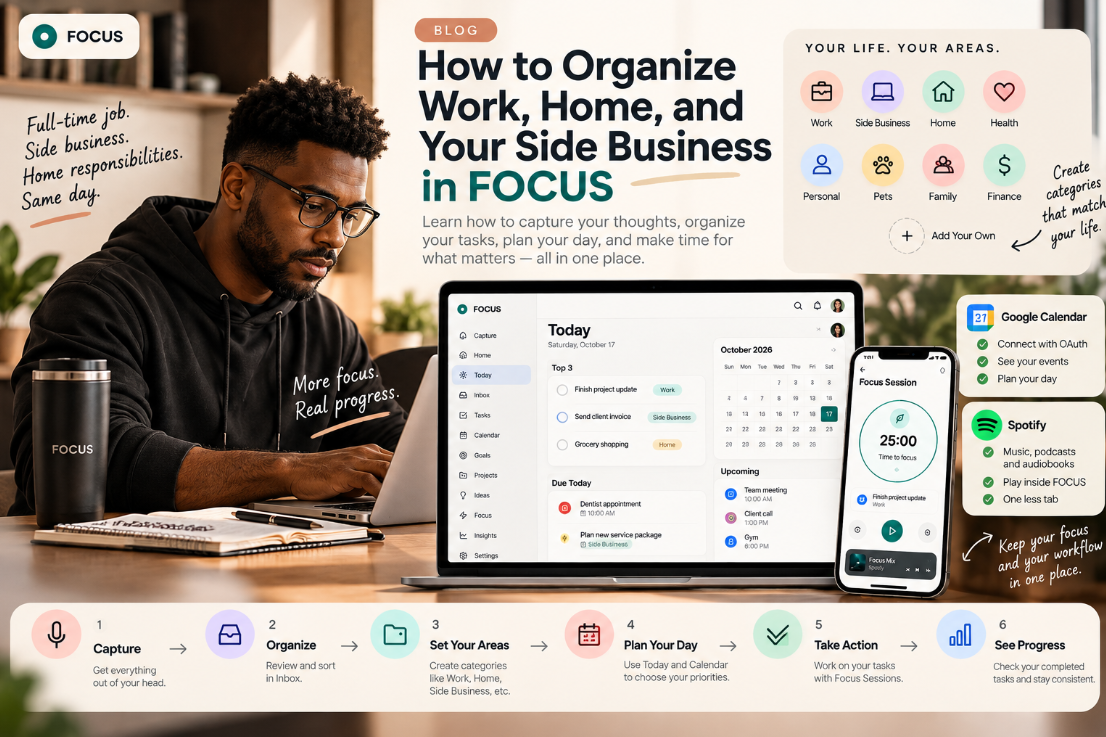
When something comes to mind, you don't have to stop and figure out exactly where it belongs. Use Capture to type or speak your thoughts. FOCUS processes what you share and can suggest items to save as tasks or other organized entries. Your captured information is kept in Inbox, where you can review it, process items that need attention, and revisit what's already organized. Think of Capture as the starting point. You can sort things out without needing to have every detail figured out first.
Use Today to Decide What Matters Now
Once you're ready to plan, the Today tab gives you a more focused view of your day. Start with your Top Three priorities. Then review what's due today and what's coming up. You can also see progress toward your goals and quickly add a task or capture a thought. Try reviewing Today at the beginning of your day. Choose your priorities, check your commitments, and give yourself a realistic starting point instead of trying to do everything at once.
Connect Your Calendar, Goals, Projects, and Ideas
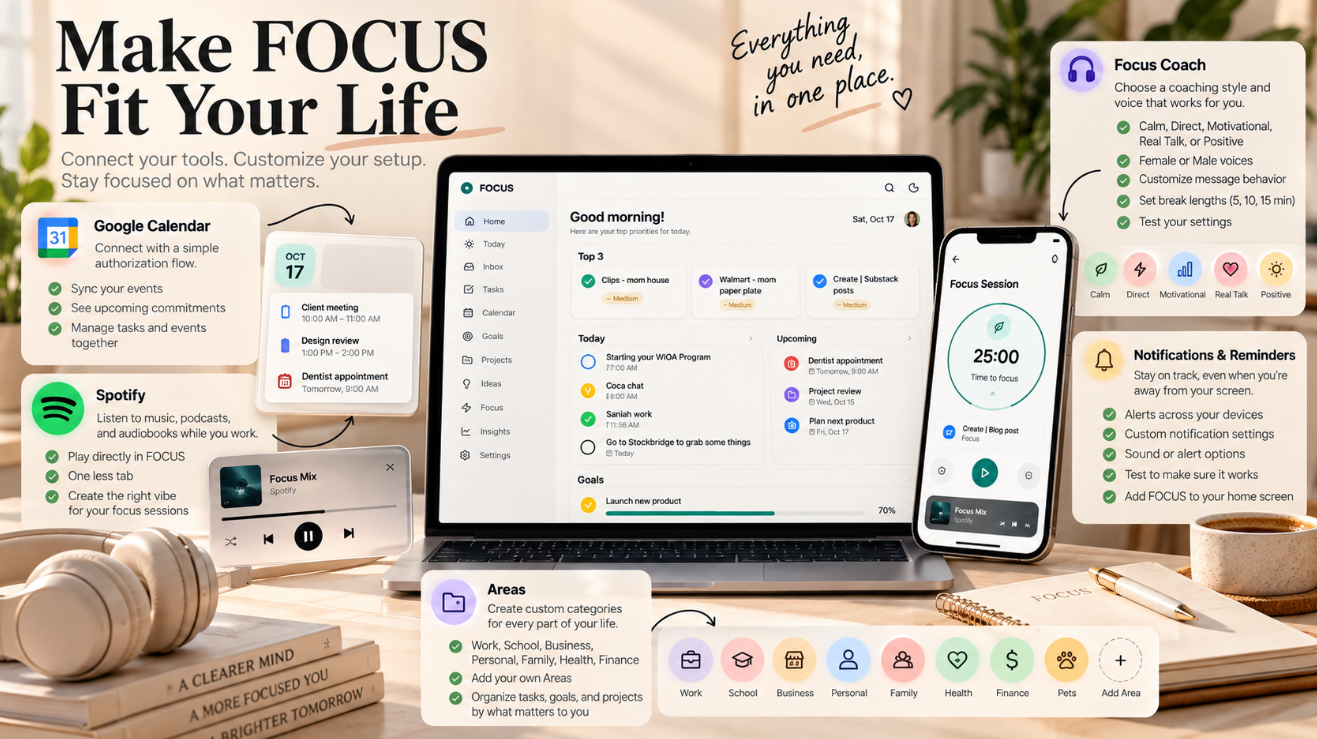
Not everything you manage is a task. Use Calendar to view your schedule and manage events, with Google Calendar connectivity available in FOCUS. Goals help you keep sight of what you're working toward. Projects give larger pieces of work a place to be organized, and Ideas lets you save possibilities for later or turn them into tasks or projects. Here's a simple way to use them together: save an idea for a new business offering, turn it into a project when you're ready, break the project into tasks, and schedule the work around your existing commitments. Each section serves a different purpose, but they can work together to help you turn a bigger intention into manageable next steps.
Make Time for Focus and Reflection
When it's time to work, Focus lets you run timed work sessions, with options such as 15, 25, 45, and 60 minutes. Coaching styles and break prompts can support your routine, depending on your settings. Afterward, History lets you review your sessions, compare periods, see how time was distributed, and add notes about what you worked on. Insights provides another place to review your activity and progress. These tools can help you reflect on how you're spending your time and adjust your routine when needed.
A Simple Routine to Get Started
- Capture new thoughts as they come up.
- Review Inbox and organize what needs attention.
- Open Today and choose your Top Three priorities.
- Use Tasks and Calendar to plan your work.
- Start a Focus session when you're ready to concentrate.
- Review your progress and adjust your plan.
You don't have to use every tab every day. Start with the sections that solve your biggest challenge, then build a routine that works for your life. Whether you're managing classes, a job, a household, or a business, the goal is to make it easier to see what matters and decide what comes next.
Ready to build your routine?
Explore the FOCUS dashboard and find the tools that fit the way you work.
Explore FOCUSTags: FOCUS, productivity, dashboard, task management, calendar, goals, focus sessions